
 Mariya Abid
A spreadsheet often begins as the quickest answer to a quality problem. One file tracks complaints, another lists Corrective and Preventive Action (CAPA) items, and email keeps approvals moving. It works—until growth adds more users, sites, records and deadlines than the method can reliably coordinate. Then the quality team spends increasing time checking versions, chasing owners and rebuilding status reports.
That does not make Microsoft Excel a bad tool. Excel remains useful for analysis, calculations and small, controlled datasets. The real question is whether a spreadsheet is still supporting your Quality Management System (QMS), or whether it has quietly become the system itself.
If that distinction is becoming unclear, these ten warning signs can help you decide when to implement QMS software.
Is your quality system ready to move beyond spreadsheets?
Use a short QMS readiness assessment to identify the workflows, records and control gaps that deserve priority before you evaluate software. Get a demo for Spectrum QMS to get a sneak peak of the perfect next step for your organization.
Can Excel Be Used as a Quality Management System?
Excel can support parts of a QMS, especially in a small operation with few users, limited records and clearly assigned ownership. Microsoft 365 also supports co-authoring and version history when files are stored correctly. However, an Electronic Quality Management System (eQMS) is purpose-built to connect records, responsibilities, approvals, status tracking and reporting across quality workflows.
In short: a spreadsheet can hold quality information, but holding data is not the same as governing an end-to-end quality process.
About quality, how can we skip the digital transformation happening in the pharma world. Explore our article Pharma 4.0 and digital quality to understand what are the trends happening in the pharmaceutical industry that you might be missing out on.
Why Spreadsheets Remain Common in Quality Management
Spreadsheets are familiar, flexible and already available. A quality professional can create a tracker without a formal project, vendor or QMS implementation plan. That flexibility is valuable at the beginning. It also explains why separate files multiply: each department adapts its own tracker, naming rules and approval method.
The wider shift toward digital operations is substantial. Statista reports that worldwide spending on digital transformation reached US$1.85 trillion in 2022, up more than 16% from the prior year. The figure is broader than quality management, but it reflects the scale of organizational investment in replacing disconnected manual work with more integrated digital processes.
Where a Spreadsheet Quality Management System Stops Working
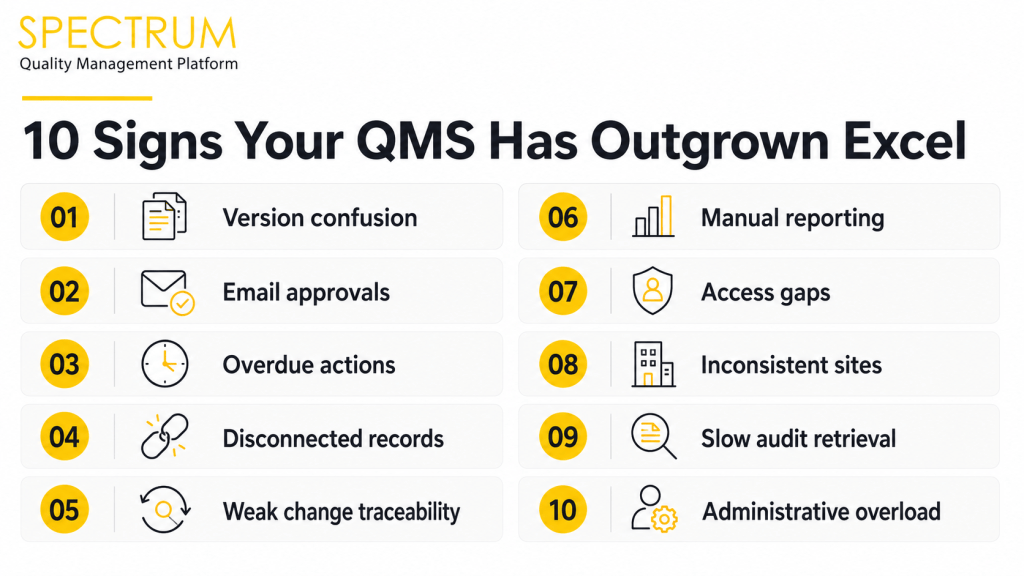
The tipping point is not a specific number of employees or rows. It appears when the risk and effort of coordinating work exceed the convenience of the spreadsheet. Look for these ten signals.
1. No one is certain which file is current
Copies are saved locally, attached to email or renamed with labels such as “final” and “final-v2.” People may make decisions from different versions.
2. Approvals depend on email follow-ups
Review and approval are managed through inboxes rather than a controlled workflow. Status is hard to see without asking each participant.
3. Quality actions become overdue without visibility
CAPA tasks, audit findings or complaint actions can sit unnoticed because reminders and escalation depend on manual checking.
4. Records are spread across files, folders and departments
A deviation may be in one tracker, its investigation in a document, and the related CAPA in another file. Reconstructing the history becomes slow and uncertain.
5. Changes are difficult to attribute
A value has changed, but the team cannot quickly establish who changed it, when, why, and what the previous value was. Version history can help in supported Microsoft 365 setups, but it is not automatically a complete quality-event audit trail.
6. Reporting requires manual consolidation
Teams copy data from multiple files to prepare dashboards, management reviews or audit evidence. Each consolidation creates more effort and another opportunity for inconsistency.
7. Access is either too broad or too restrictive
Shared passwords, open folders or ad hoc file permissions make it difficult to provide role-appropriate access without slowing work.
8. The process changes from one site or team to another
Different templates and status labels make cross-site comparison unreliable and prevent management from seeing quality performance through a consistent lens.
9. Audit preparation feels like a retrieval project
The team spends days locating approvals, supporting records and evidence that should be traceable from the originating quality event.
10. Growth creates more administration than insight
The quality function is busy maintaining trackers and chasing updates, while trend analysis, prevention and continuous improvement receive less attention.
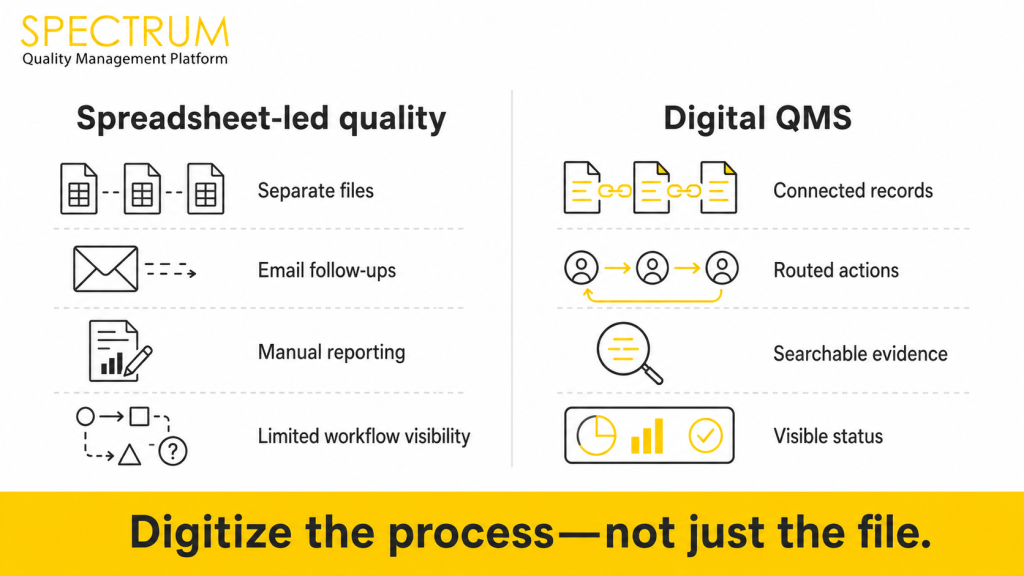
| Decision area | Excel or shared files | Digital QMS |
| Best fit | Limited, well-controlled tracking or analysis | Connected, repeatable quality workflows |
| Ownership | Usually maintained manually | Assigned within configured workflows |
| Approvals | Often email- or file-based | Routed and status-tracked in the system |
| Traceability | Depends on setup and discipline | Designed to connect records and workflow history |
| Reporting | Often consolidated manually | Central dashboards and searchable records |
| Scalability | More files and administration as complexity grows | Structured expansion across processes, users or sites |
The Risks of Disconnected Quality Records
Disconnected records create more than inconvenience. They weaken the relationship between an event, its investigation, assigned actions, supporting evidence and closure. International Organization for Standardization (ISO), Guidance on the requirements for documented information of ISO 9001:2015 gives organizations flexibility in how they document a QMS, but documented information must still support effective process operation and control. ISO’s quality principles also emphasize evidence-based decision-making: decisions become more reliable when data is robust, accessible and understood in context.
For regulated manufacturers, the stakes can be higher. The U.S. Food and Drug Administration (FDA) notes that electronic record-keeping systems with audit trails can support Current Good Manufacturing Practice (CGMP) requirements and that records should be protected from loss or obscuration. A spreadsheet is not automatically noncompliant, and QMS software does not guarantee compliance; suitability depends on intended use, controls, validation where required, governance and user behavior.
Talking about manufacturing, explore our insights on QMS for smart manufacturing
See how Spectrum can connect priority quality workflows
Request a one-on-one Spectrum demo focused on document control, CAPA, audits, deviations or other processes currently managed through disconnected files and follow-ups.
What Should You Digitize First?
Do not migrate every spreadsheet simply because it exists. Start with the workflow where control gaps, delays and business impact are clearest. A practical prioritization sequence is:
- Select a high-friction process, such as document control, CAPA, deviations, complaints or audits.
- Map the current process, including owners, decisions, approvals, records and hand-offs.
- Separate active records from outdated, duplicate or low-value data.
- Define the future workflow before configuring software.
- Agree on measures such as closure time, overdue actions, retrieval time and adoption.
This approach keeps the move focused on process improvement instead of treating digitization as a file-transfer exercise.
How Spectrum Supports Connected Quality Workflows
Spectrum quality management software brings quality activities into a more unified environment. Its available QMS capabilities include E-Docs and Document Control, CAPA Management, Audit Management, Complaint Management, Deviation and Incident Management, Change Control, Quality Risk Management, supplier workflows and quality dashboards. The aim is to replace disconnected hand-offs with clearer ownership, searchable records and greater process visibility.
Organizations should still define governance, access, training, data preparation and assurance requirements. Software supports a controlled system; it does not replace accountable process ownership.
Replace disconnected quality processes with a unified digital system
Explore the workflows most relevant to your organization and see how controlled records, visible actions and connected quality processes can support your next stage of growth.
The Decision: Improve Excel or Replace It with QMS Software?
If one controlled workbook supports a stable, low-risk process with clear ownership, improving its governance may be enough for now. If quality work spans departments, sites and linked records—and teams cannot reliably see versions, actions, approvals or status—the stronger decision is to assess a purpose-built eQMS.
The goal is not to eliminate spreadsheets from the business. It is to use them where they are strongest, while moving governed quality workflows into a system designed for control, traceability and coordinated action.
Frequently Asked Questions
Excel can support controlled tracking and analysis, especially in smaller operations. It becomes less suitable as the primary QMS when workflows require connected records, routed approvals, role-based access, escalation and consistent cross-site visibility.
Common risks include version confusion, disconnected evidence, manual follow-ups, inconsistent permissions, weak workflow traceability and time-consuming reporting. The actual risk depends on process complexity, controls and regulatory context.
Consider moving when quality records multiply, processes cross departments or sites, actions frequently become overdue, audit retrieval takes too long, or management cannot see reliable status without manual consolidation.
Prioritize active records connected to the first workflows being digitized. Clean duplicates, confirm ownership, define retention requirements and decide which historical records should be migrated, archived or left in a controlled legacy repository.
Yes, when the operational need justifies it. Suitability should be based on workflow complexity, quality risk, growth plans, user needs and QMS implementation capacity—not company size alone.
