






Create a clear structure for OOS events with configurable categories and sub-categories that make records easier to organize, review, and analyze over time.
Out-of-Specification (OOS) Handling | Spectrum QMS
OOS Management Software for Controlled Investigation & Resolution
Spectrum’s quality management system gives quality teams a 21 CFR Part 11 compliant workflow to register out-of-specification results, drive the right investigation, assign the right actions, and close every case with clarity and control. From first entry to final resolution, your team gets a structured path for handling OOS events without losing speed, accountability, or compliance.
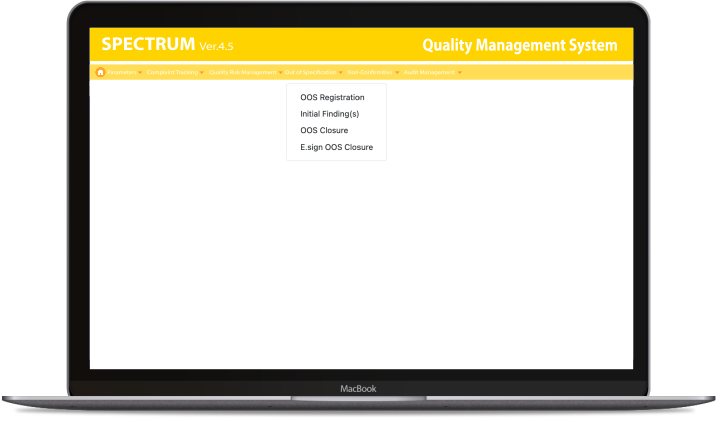

Streamline Your OOS Investigation Workflow
Move from failed result to formal record without delay
When an OOS is identified in LIMS or stability results, Spectrum’s QMS quality management system gives users a structured way to register the event, capture the relevant product and test details, and generate a unique OOS number for tracking. That means every case starts with a clear identity, clean documentation, and a consistent foundation for everything that follows.

Smarter Triage with Initial Findings
Investigate the right cases. Close the rest with confidence
Not every OOS needs the same level of response. Spectrum’s QMS helps your team review initial findings and make a controlled decision: move the case into Investigation & CAPA, or close it with documented results. You get faster handling, cleaner queues, and better use of quality resources.

Integrated OOS and CAPA Management
Drive every OOS from root cause to verified closure
Spectrum’s quality management system software supports the full follow-through process: investigation initiation, in-charge assignment, CAPA definition, action finalization, action assignment, authorized completion, and investigation closure. It also supports measuring the OOS associated with each action before completion, giving teams a more disciplined way to manage corrective follow-through.
More reasons to switch with Spectrum
Category and Sub-Category Setup
Category-Driven Data Capture
Configure only the fields that matter for each OOS category, pulling batch and product data from LIMS or stability for cleaner, more relevant forms.
Email Notifications for Assigned Work
Keep investigations and actions moving with email intimation when work is assigned to the relevant group users at supported workflow stages.
Authorized Action Completion
Protect data integrity by ensuring only authorized users complete assigned actions and enter accurate completion details.
Formal OOS Closure
Close every OOS with documented results and closure details, while retaining visibility into completed records by status.
Complete OOS Inquiry
Review OOS status, category, and grades through inquiry views that give your team a broader picture of open and completed records.
User Group Configuration
Predefine user groups to route investigations and actions through structured, consistent workflows, improving efficiency, accountability, and overall process control.
User and Designation Setup
Configure users, designations, departments, and email IDs in advance to support cleaner assignment, stronger accountability, and tighter control across the OOS process.
21 CFR Part 11 Compliance Controls
Operate in a controlled environment with authenticated access, password-expiry handling, and documented reasons for edits to support compliant OOS handling.
FAQ
Frequently Asked Questions
When an OOS test result occurs in LIMS or stability, Spectrum triggers the OOS registration by entering the relevant test and product details. The system then generates a unique OOS number for further processing.
Yes, during Initial Findings, users can decide whether investigation is required. If it is not required, the OOS can be closed with documented results.
Investigations can be assigned to group users with email intimation, and actions can also be assigned to selected group users with email intimation.
During action finalization, the module supports measuring the OOS associated with each action before completion, giving teams a more structured basis for evaluating follow-through. That wording is unusual, but it stays closest to the manual.
Yes, OOS Handling as a 21 CFR Part 11 compliant module with authenticated access, password-expiry handling, and documented reasons for edits.
Once the investigation, assigned actions, and required reviews are completed, authorized users can initiate OOS closure in Spectrum. The closure process captures the final conclusion, supporting remarks, approval details, and required e-signatures to ensure the OOS record is properly reviewed, documented, and traceable.
Helping Businesses of all Sizes for 32+ Years
Leading Fortune 500 companies trust our enterprise solutions for HR, payroll and quality

















































Testimonials
What They Say About Us
A reliable partner for smarter laboratory management.
Working with Sofcom has been a rewarding experience. Spectrum has proven to be a valuable solution for managing laboratory operations, helping us improve data analysis and support better decision-making.
I look forward to Sofcom’s continued innovation and the positive impact their solutions will have on the pharmaceutical industry.